VIP PRICE POLICY
Loading phone unlock code data Loading
REGISTER Lost your password ?
Step 2/4 : Provide your IMEI & E-Mail
  1. Select your device
  2. Provide your IMEI & E-mail
  3. Confirm & Payment
  4. Confirmation

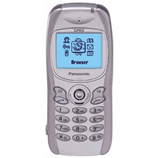
Order the Unlock Code of your Panasonic GD76

Important: Select the Network your Panasonic GD76 is originally from. Do NOT select the network you want to use.

When I order an Unlock Code for my Panasonic GD76, what will I receive?

We provide you with the Unlock Code to permanently unlock your Panasonic GD76.


In case your Panasonic GD76 requires multiple Unlock Codes, all Unlock Codes necessary to unlock your Panasonic GD76 are automatically sent to you.


We also provide detailed instructions on How To Unlock your Panasonic GD76. In most cases the procedure is very easy:


Our Support Team is there to help with any questions you may have, please feel free to contact us anytime!

How to Unlock Panasonic GD76?

Actually there is no need to Enter an "Unlock Code" on Apple iPad, all the process is done via iTunes once you receive from us the confirmation of unlock.


  1. Install the last version of iTunes on your computer.
  2. Make sure your iPad is updated with the lastest version of iOS.
  3. Switch ON your iPad with a SIM Card from a non-compatible network.
  4. Connect your iPad to your computer using the Original USB Cable.
  5. Launch iTunes andwait until iTunes detect your iPad.
  6. Now disconnect your iPad and reconnect it after 10 seconds.
  7. Your iPad is now Unlocked!


In the unlikely event that your iPad is not unlocked, please restore your device following the official guideline from Apple - Click Here!


Starting iOS7 Update: How does Activation Lock work?


When you enable Find My iPhone on your iPhone, iPad, or iPod touch running iOS 7, the Apple ID and password you use for iCloud is securely stored on Apple’s activation servers and linked to your device. From that point on, your password will be required before anyone can turn off Find My iPhone on your device, erase your device, or reactivate and use your device.


Activation Lock is enabled automatically when you turn on Find My iPhone in iOS 7, or when you upgrade to iOS 7 from a previous version of iOS that has Find My iPhone already turned on.


To turn on Find My iPhone on your device:


  1. Go to Settings.
  2. Tap iCloud.
  3. Sign in with your Apple ID, if necessary.
  4. Turn on Find My iPhone.


Prior to unlocking a phone, make sure the previous owner of the unit has turned off Find My Phone and erased all contents & settings.


For more info please refer to this link : http://support.apple.com/kb/HT5818


PLEASE NOTE THAT WE WILL NOT BE ENTERTAINING ANY REQUESTS FOR REFUNDS OR HELP ON THIS ISSUE - YOU MUST ENSURE THE ABOVE FEATURE IS TURNED OFF BEFORE UPGRADING TO IOS7 AND UNLOCKING YOUR PHONE - OR CONTACT THE ORIGINAL OWNER OF THE PHONE TO AQUIRE THIS INFO.


Any suggestion? Want to help us improve our Guideline to unlock Panasonic GD76 ? or those are not accurate ? Please contact us

Unlock Magician is an incorporated company, we've been unlocking cell phones for
22 years now and strives to provide the best service for our clientele.

Cell Phone Unlocking protected by McAfee Secure Comodo SSL Certificate is certifying security for phone unlocking

All products, and company names, logos, and service marks (collectively the "Trademarks") displayed are registered® and/or unregistered trademarks™ of their respective owners. Unlock Magician is not associated with or sponsored by Panasonic. The authors of this web site are not sponsored by or affiliated with any of the third-party trade mark or third-party registered trade mark owners, and make no representations about them, their owners, their products or services.


Why Purchase From Us?

Best Phone Unlocking Choice
  • Permanent Factory Unlock
  • Full Permanent Unlock (All Levels)
  • 100% Money back guarantee
  • 24/7 Customer support team
  • Fastest turnaround of delivery
  • Simple instructions provided
  • Rated 4.9 out of 5 from 15422 reviews

Our Last 4 Certified Reviews

  • Jeremie on 02/26/2026
    UNLOCK BASE COMPANY IS A GREAT COMPANY TO WORK WITH I AM VERY HAPPY WITH THERE SERVICE AND THEIR FAST RESPONSE OF UNLOCKING MY IPHONE 17 AIR I HAVE TRIED OTHER COMPANYS AND THEIR CUSTOMER SERVICE IS NOT LIKE UNLOCK BASE.

    THANKS
  • Gvozden Račić on 02/26/2026
    I waited 4 days instead of the promised 1–3 days, but in the end everything was unlocked exactly as agreed.
    Communication was clear and the process was smooth.
    I do NOT recommend cheaper services, especially DirectUnlocks, because many of them charge first and then ask for extra payments later.
    UnlockBase was honest from the start and delivered exactly what was promised.
    For all new users and beginners — this is the real deal and a trustworthy service. Highly recommended.
  • Paul on 02/26/2026
    Unlockbase really did me a solid and the service was awesome, i ddnt have to even wait for the days
  • eliseo on 02/23/2026
    Segundo teléfono que hago con vosotros y todo perfecto, la primera un 14 pro max tardo dos días y hoy un 12 pro tardo solo 30mnt sin duda unos profesionales con años de experiencia. venia recomendado por un técnico el cual trabajaba con vosotros hace 10 años y a día de hoy siguen funcionando genial sin duda recomendados al 100%